
Guide · Monte Carlo software
Monte Carlo Simulation Software
How to choose the right kind for your model
Which Monte Carlo simulation software should you use?
Start from where your model lives. A small spreadsheet model can run in plain Excel, and one that needs correlated inputs, fitted data or sensitivity charts needs an Excel add-in. A project schedule needs a schedule risk tool. A system that changes over time suits a standalone simulator, and a team that writes code can use Python or R.
All five kinds run the same method: they draw thousands of random values for each uncertain input and record what the model gives each time. They differ in where the model lives, who can open and check it, and how much you build yourself. If you want the idea behind the method first, read what Monte Carlo simulation is and how it works.
Which kind of Monte Carlo software fits your model?
Answer one or two questions. Nothing is sent anywhere.
What kinds of Monte Carlo software are there?
There are five: plain Excel formulas, Excel add-ins, project schedule risk tools, standalone simulators and programming libraries. The first two keep the model in a spreadsheet and the third works on a project plan. The last two ask you to build the model in a different tool.
Plain Excel
RAND(), an inverse function such as NORM.INV, and a Data Table to repeat the calculation.
Suits
Small models, and learning the method.
When plain Excel is enoughExcel add-ins
ModelRisk, @RISK, Crystal Ball, Analytic Solver, RiskAMP.
Suits
Spreadsheet models that need correlation, fitting, sensitivity charts or speed.
When you need an add-inSchedule risk tools
Tamara, Primavera Risk Analysis, Safran Risk, Acumen Risk, RiskyProject.
Suits
Finish dates and costs of projects with a detailed schedule.
When you need oneStandalone simulators
GoldSim, Analytica.
Suits
Systems that change over time, with stocks, flows and events.
When they make sensePython or R
NumPy and SciPy in Python, or R.
Suits
Teams that program, and very large or automated runs.
When to write codeHow do the five kinds compare?
The trade-off is between convenience and control. Spreadsheet tools are the quickest to start and the easiest for colleagues to check. Code is the most flexible, but only programmers can review it. The table compares the five on the points that usually decide.
| Kind | Where the model lives | Who can check it | Correlation, fitting, sensitivity | Cost |
|---|---|---|---|---|
| Plain Excel | A workbook | Anyone with Excel | Built by hand with formulas | Included with Excel |
| Excel add-in | A workbook | Anyone with Excel can read it; running it needs the add-in | Built in | From a free edition (ModelRisk Basic) to a few thousand euros a year per user |
| Schedule risk tool | The project schedule | Planners with the same tool | Built in, applied to tasks and risks | Annual licences; some vendors quote on request |
| Standalone simulator | The tool's own model file | People with the same software | Built in | Commercial licences; some offer a free edition for small models |
| Python or R | Scripts | People who read the language | Libraries cover distributions and fitting; you assemble the rest | Free; the cost is programming and testing time |
When is plain Excel enough?
Plain Excel is enough when the model has a handful of independent inputs and you need the answer once. RAND() inside an inverse function such as NORM.INV gives a random value, and a Data Table recalculates the model a few thousand times. Our step-by-step guide to Monte Carlo simulation in Excel builds a full example this way, with a free workbook.
It gets harder in four places:
- Correlation. Every RAND() is independent, so inputs that move together need a correlation engine built by hand. In the guide's example, a correlation of 0.6 between six cost items raises the P80 cost from €3,197k to €3,293k, and the independent model gives no warning.
- Distributions. Excel has inverse functions for a handful of distributions. Triangular, PERT and many others have to be built from formulas.
- Results. Histograms, S-curves and sensitivity charts are built by hand for every output.
- Speed and repeatability. A Data Table recalculates the whole model once per row, and RAND() can't be seeded, so you can't repeat a run exactly.
When do you need an Excel add-in?
Use an add-in when Excel is the right home for the model but plain formulas run out. An add-in supplies the distributions, correlation, fitting to data, sensitivity charts, reports and a faster simulation engine, and some add optimisation. The model stays in the workbook your colleagues already use, so they can still read every formula.
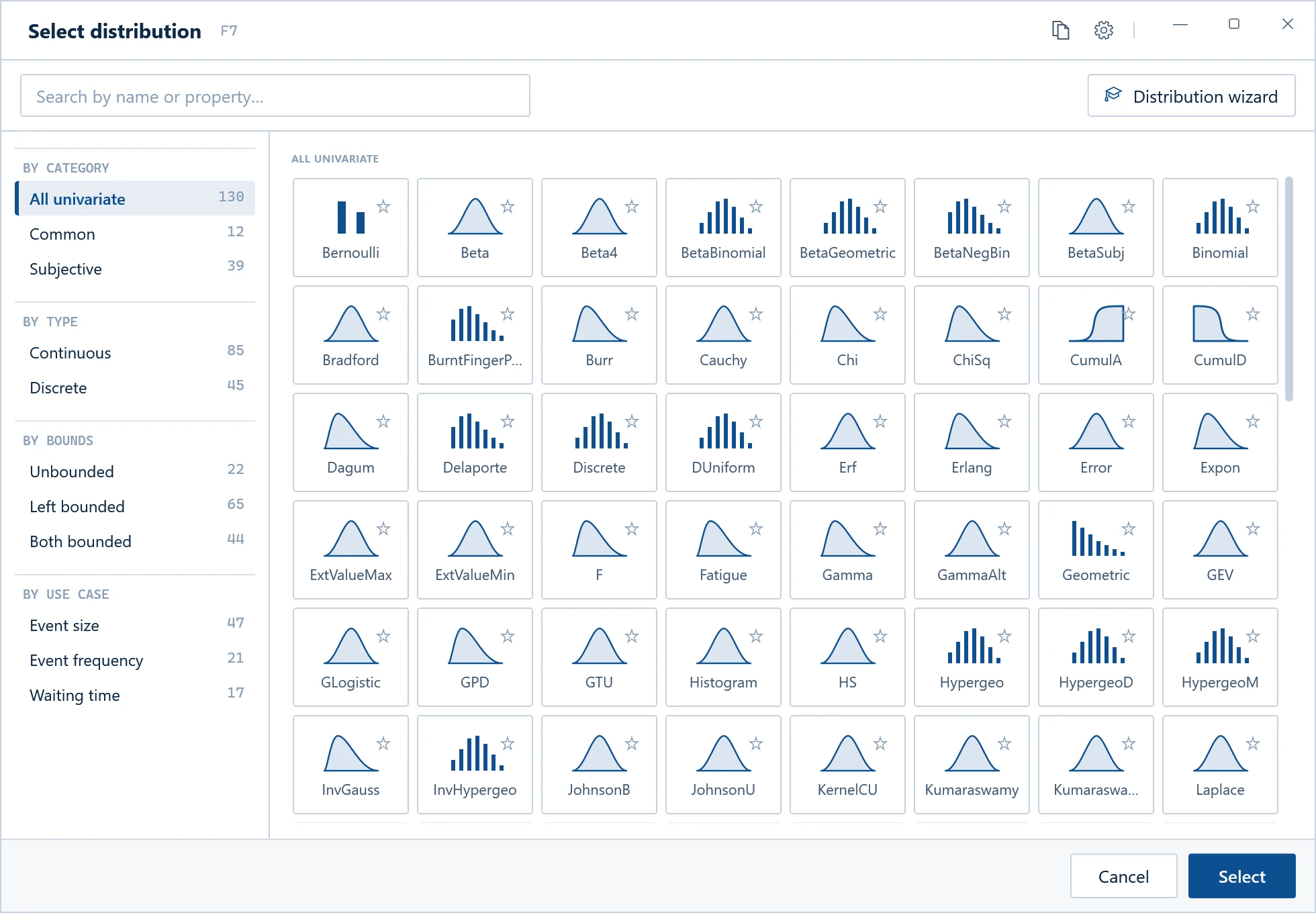
Excel add-ins for Monte Carlo simulation include ModelRisk (ours), @RISK from Lumivero, Oracle Crystal Ball, Analytic Solver from Frontline Systems and RiskAMP. They differ in depth, speed, price and how they show results. Our comparison of the top risk analysis add-ins for Excel puts their features and published prices side by side. To test one on your own model, start the free 15-day ModelRisk trial.
When do you need a project schedule risk tool?
When the uncertainty is in a project plan. A schedule risk tool runs the simulation on the schedule itself. It varies task durations, adds risk events, follows the task logic and reports how likely each finish date and cost is. Rebuilding that logic in a spreadsheet is slow and easy to get wrong.
Tamara is our tool for this. Other schedule risk tools include Oracle Primavera Risk Analysis, Safran Risk, Deltek Acumen Risk and RiskyProject. Our comparison of project risk analysis tools covers what each one does. For the method, see Monte Carlo simulation in project management.
When does a standalone simulator make sense?
When you are modelling a system that changes over time, with stocks, flows, feedback and one-off events, and a spreadsheet's rows and columns no longer fit it. You build the model in the simulator's own visual environment. The price is a second tool to learn, and colleagues need it to open the model.
Two examples: GoldSim describes itself as Monte Carlo simulation software for dynamically modelling complex systems in engineering, science and business, with models built graphically. Analytica, from Lumina Decision Systems, builds models as influence diagrams and has a free edition for small models.
Two ways to model a system that changes over time
One row per period, in a spreadsheet
Each month's closing value feeds the next row. An Excel add-in with time series functions handles this.
Stocks, flows and feedback, in a simulator
Feedback loops and one-off events, such as a failure that stops the outflow, suit a standalone simulator.
Coming soon from Vose
We have something on the way for models like these. If you are weighing a standalone simulator, contact us to hear more before it launches.
Should you write the simulation in Python or R?
Code suits teams that already program, need very large or automated runs, or want the simulation inside a data pipeline. Python's NumPy and SciPy libraries and the R language are free and draw random values from many distributions. Everything else is yours to write and test: correlation, convergence checks, charts and reports.
The cost shows up later. Only programmers can review the model, and every change goes through them. If the people who own the decision work in Excel, a model they can read themselves is often worth more than a faster script.
What should Monte Carlo software be able to do?
Whatever the kind, check seven things on your own model during a trial: distributions, correlation, fitting to data, sensitivity analysis, precision, results for others and speed. The table says why each matters and how to test it.
| Capability | Why it matters | How to test it |
|---|---|---|
| Distributions | Estimates arrive as three-point ranges, data or expert judgement, and each needs the right shape | Enter three of your real inputs in the form you have them |
| Correlation | Inputs that move together widen the range of outcomes; leaving it out understates the risk | Correlate two inputs and check that the high percentiles move |
| Fitting to data | Turns historical data into a distribution you can defend | Fit a column of your own data and compare the candidate fits |
| Sensitivity analysis | Shows which inputs drive the result, so you know where to act | Make a tornado chart for your main output |
| Precision | Tells you when you have run enough iterations | See whether it reports how precise the mean or a percentile is |
| Results for others | Decision-makers need histograms, S-curves and percentiles they can read | Send a result to a colleague who doesn't have the software |
| Speed | Large models with many outputs can take minutes per run | Time a run of your biggest model |
Where does ModelRisk fit?
ModelRisk is our Excel add-in. It suits analysts whose models already live in a spreadsheet and need more than plain formulas, from cost estimates and business cases to insurance and financial models.
*Simulation phase, median across 89 internal test models, Turbo against ModelRisk’s classic engine, 1,000 iterations. How we measured it.
It also fits distributions to data, draws tornado and other sensitivity charts, includes the Optimizer for decisions under uncertainty, and writes results back into cells for your reports. ModelRisk MCP, free and open source, lets AI assistants such as Claude read, build and run ModelRisk models in your workbook.
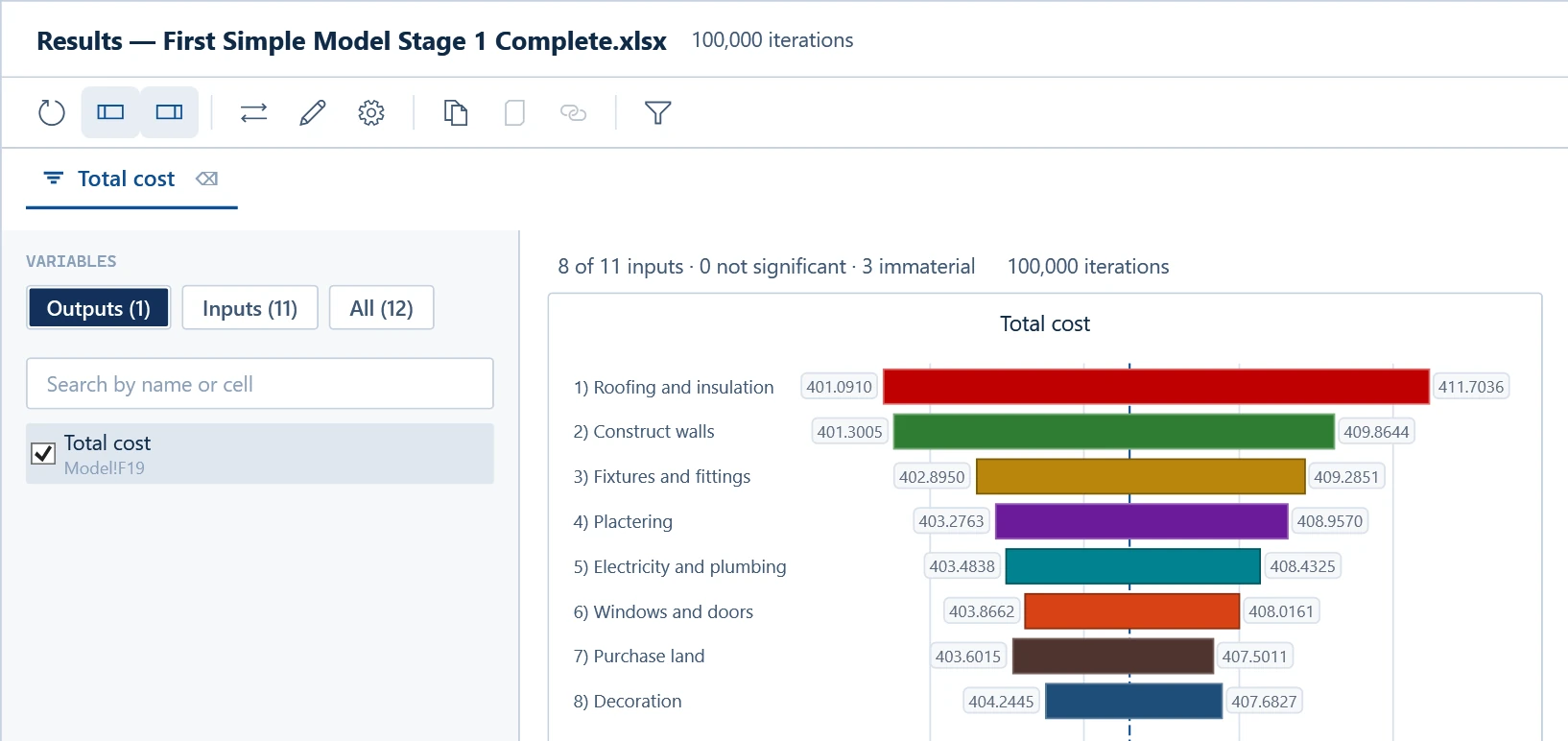
Features and prices are on the page for ModelRisk, our risk analysis software for Excel. If you use @RISK today, see switching from @RISK to ModelRisk. After the 15-day trial, ModelRisk reverts to the free Basic edition with reduced features.
Frequently asked questions
Is there free Monte Carlo simulation software?
Yes. Plain Excel formulas cost nothing beyond Excel, and Python and R are free. Some commercial tools have free editions: ModelRisk reverts to its free Basic edition with reduced features after the 15-day trial, and Analytica has a free edition for small models. Free options usually cost more of your time, because you build more yourself.
Does Monte Carlo simulation software run on a Mac?
It depends on the product, so check each vendor's system requirements. ModelRisk, Tamara and ModelChoice do not run on Mac OS or Parallels, but can be run on an Intel-based Mac using Boot Camp. Python and R run on macOS.
Is Monte Carlo software the same as risk management software?
No. Risk management software, such as a risk register, records risks, owners and actions. Monte Carlo software works out what those risks could do to cost, time or value when they act together. Some platforms connect the two: in Pelican, our integrated risk management platform, the quantified risks in the register are added up by Monte Carlo simulation.
How many iterations does a Monte Carlo simulation need?
Enough that the numbers you report stop moving between runs. Means settle quickly, while high percentiles such as the P95 need more iterations. Run the model twice, or check the precision your software reports, and see how many Monte Carlo iterations to run for the method.
Articles
Keep reading

ModelRisk
Monte Carlo simulation inside the Excel model you already have
Correlated inputs, 136 distributions, distribution fitting and tornado charts, in the spreadsheet you already use. Try it free for 15 days.