
Tamara academic program
Tamara for universitiesDiscounts for teaching, research and study
Vose Software offers substantial discounts to academic institutes and students. Tamara runs Monte Carlo simulation on a Primavera P6 or Microsoft Project schedule, so students learn schedule and cost risk analysis on real project plans, and researchers can use the same tool for their own work.
Academic prices
Pick the licence that fits
Each academic licence is a one-year Tamara contract, priced in euros.
Students
Student
€120per year
An individual licence for one student.
Not sure yet? The 15-day trial is the full product, free.
Download the free trial →
Academic staff
Individual
€495per year
An individual licence for one person at an academic institute, such as a teacher or researcher.
Network
€1,195per year
Network concurrent licensing shares a limited number of Tamara licences among a larger number of users.
- Minimum order: five simultaneous connections
- More cost-effective once 15 or more people use Tamara
Campus
Classroom
€2,650per year
For professors who use Tamara in a single classroom. An introductory package for using Tamara on a limited scale.
- Install on up to 60 computers
Licences are offered subject to the institute’s adherence to our academic terms and conditions. Academic licences may not be used for paid work.
Request an academic licence →Request a licence
Ask for an academic licence
Send the form and we will get back to you as soon as possible. To organise an installation on the institute’s network, a member of its IT department should send it.
Choose a licence
Student, academic individual or network, or classroom.
Check the academic terms
Licences are offered subject to the institute’s adherence to them.
Send the form
We will get back to you as soon as possible.
The academic terms in brief
- Academic licences are issued to recognised academic institutes only.
- Not for commercial work: students and professors may not use them for paid work. A commercial licence covers that.
- Only for people at the institute, not for people who have left it.
- Acknowledge Tamara in research you publish with it.
- Technical support goes through the institute’s IT department.
Request an academic licence
Fields without “optional” are required.
Why Tamara
What Tamara brings to a course
Tamara turns the schedule a project already keeps into a risk model. Students put ranges and risk events on the tasks, simulate the plan thousands of times and see which finish dates and budgets they can rely on.
Real project schedules
Tamara imports schedules from Primavera P6, Microsoft Project and Microsoft Planner Premium, including nested and inter-connected projects, and never changes the original file. It has been tested on real plans of up to 80,000 tasks.
No statistics needed to start
Students describe uncertainty with levels they name themselves, and risks with a chance and a range of impact. The probability distributions are there when a course goes deeper.
P50 and P80 dates
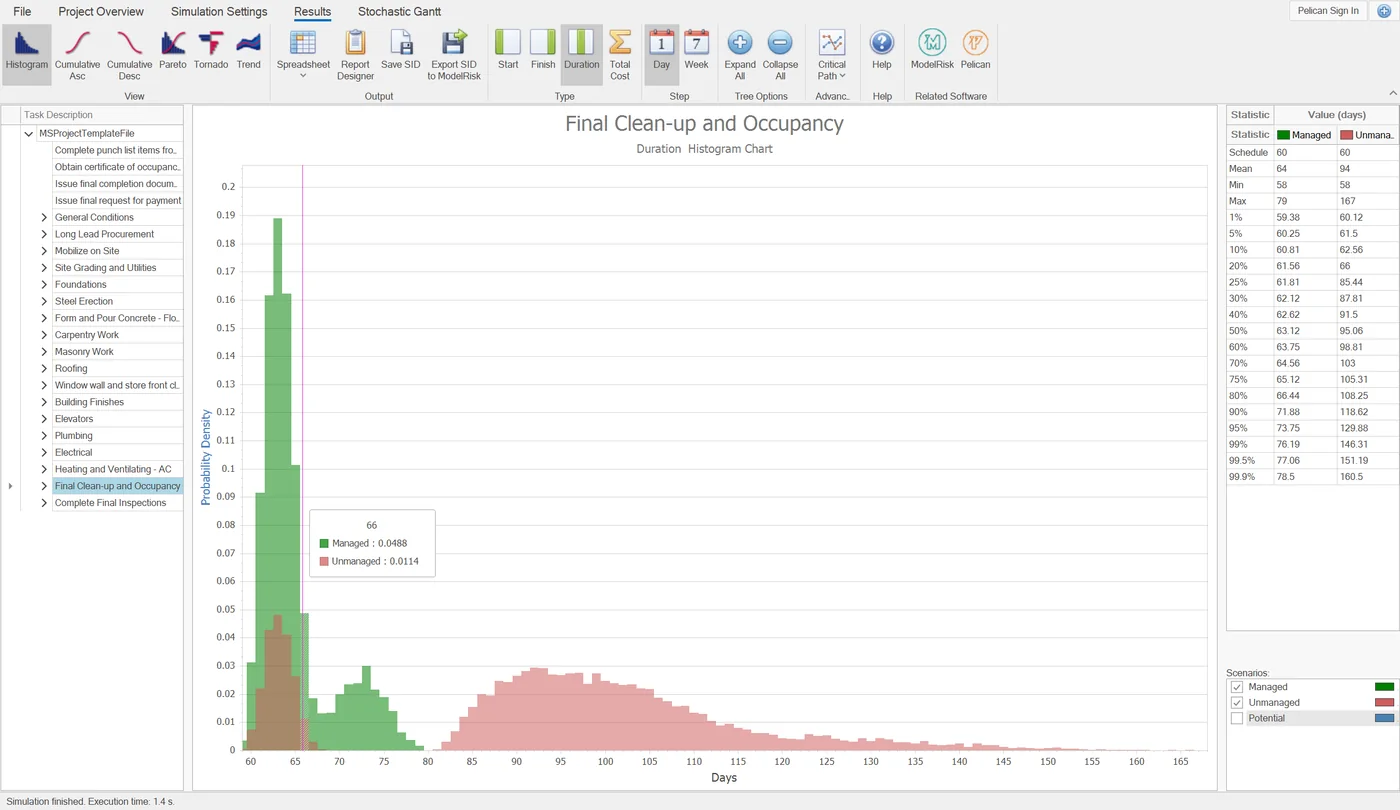
One run gives results for every task, summary and milestone: how likely each finish date is, how much contingency the plan needs, and a tornado chart of what drives it.
Time and cost together
Fixed and variable task costs, uncertain resource rates and the cost of risk events, so a delay shows up in the budget too.
Risk responses compared
Scenarios switch risks on or off, or change their chance or impact. Students see which responses buy the most certainty for the money, and which are not worth it.
A spreadsheet built in
For costs and calculations outside the schedule, with the ModelRisk modelling tools: 136 probability distributions, 34 time series models and 14 copulas.
On real projects, Tamara is used by planners and schedulers, project controls staff, cost engineers and risk managers.
See everything Tamara does →Teaching material
Material for lectures and self-study
Use these alongside Tamara in class, for coursework or to learn on your own.
Monte Carlo in project management
How a schedule simulation works, and how to read S-curves, P50 and P80 dates and tornado diagrams, with a live simulation and PMP exam notes.
Read the guide →Three-point estimating
The PERT and triangular formulas, standard deviation, a free calculator with P80, and how to add estimates up correctly.
Read the article →Cost contingency
A step-by-step contingency calculation with Monte Carlo simulation: a worked €12m example, and P50, P80 and P90 compared.
Read the article →Risk Wiki
Our free online risk analysis manual, with a chapter on adding risk events to a schedule.
Open the chapter (opens in a new tab)Tamara comes with example models, and its help file has tutorials on good practice in schedule and cost risk analysis. For hands-on sessions, see Tamara training on our training page.
FAQ
Questions about academic licences
Who can get an academic licence?
Recognised academic institutes, their staff and their students. Licences are offered subject to the institute’s adherence to our academic terms and conditions.
Can I use an academic licence for paid work?
No. Academic licences may not be used for commercial purposes, meaning paid work, by students or professors. Anyone who needs Tamara for paid work can buy a commercial licence.
Which licence suits a course?
For one classroom, the Classroom licence covers up to 60 computers. A network licence shares a limited number of connections among more users: the minimum order is five simultaneous connections, and it is more cost-effective once 15 or more people use Tamara.
Can I try Tamara before I ask for a licence?
Yes. The 15-day trial is fully functional and imports your own P6 or Microsoft Project schedule, so you can run a first analysis on a real project.
Do students need to know statistics?
No. They describe uncertainty with levels they name themselves, and risks with a chance and a range of impact. Tamara comes with example models, and the help file has tutorials on good practice in schedule and cost risk analysis.
What does Tamara need to run?
Tamara is a 64-bit desktop application for Windows 10 and 11, built on .NET 8. Full details are on the system requirements page.
Do I need to credit Tamara in published research?
Yes. The academic terms ask the institute to acknowledge Tamara where it is used to produce published research, and to make sure its researchers know this.
Who do I contact for technical support?
Technical support for an academic licence goes through the institute’s IT department, which contacts Vose Software.
Bring Tamara into your teaching
Request an academic licence, or try the full product free for 15 days first.